Creative
Make the film for the screen
An audience-first approach to digital video, from original filming and animation to immersive environments and the smallest screen in the room.
 Animated film planned
- 01AudienceWho watches, where, and on what screen
- 02CaptureOriginal filming, remote production, 3D and 2D animation
- 03ShapeEditing, environment creation, explainer structure
- 04DeliverImmersive environments down to the phone
A beautiful commercial can still be a very expensive way of answering a question nobody asked. We have all seen the evidence. A camera glides over something polished. A voice with excellent health insurance says something about possibility. The logo arrives. The audience, already halfway through making a sandwich, has learned almost nothing.
I like beautifully made films. I also like knowing what they are for. Digital-first video production starts with that second consideration, not because craft matters less, but because an audience has never owed us its attention simply because the lighting took six hours.
This is how we approach our in-house video and film production. We begin with the person watching, the situation they are in, and what a film might usefully do for them. Then we decide what to make and how to make it.
The audience comes before the equipment list
Before discussing cameras, locations or a render farm, ask a few less glamorous questions. Who is this for? What do they already understand? What are they trying to decide? Are they looking for reassurance, instruction, entertainment, or a reason to care?
A potential customer comparing two services needs something different from a new employee learning a process. A visitor walking through an exhibition needs something different again. Treating those people as one audience, and handing them the same film in three different crops, is not a distribution strategy. It is an export setting.
The useful creative brief describes the audience's circumstances as carefully as it describes the brand. That includes time, sound, distance, attention and the next useful action. The camera package can wait until we know what it needs to do.
Useful is not the enemy of interesting
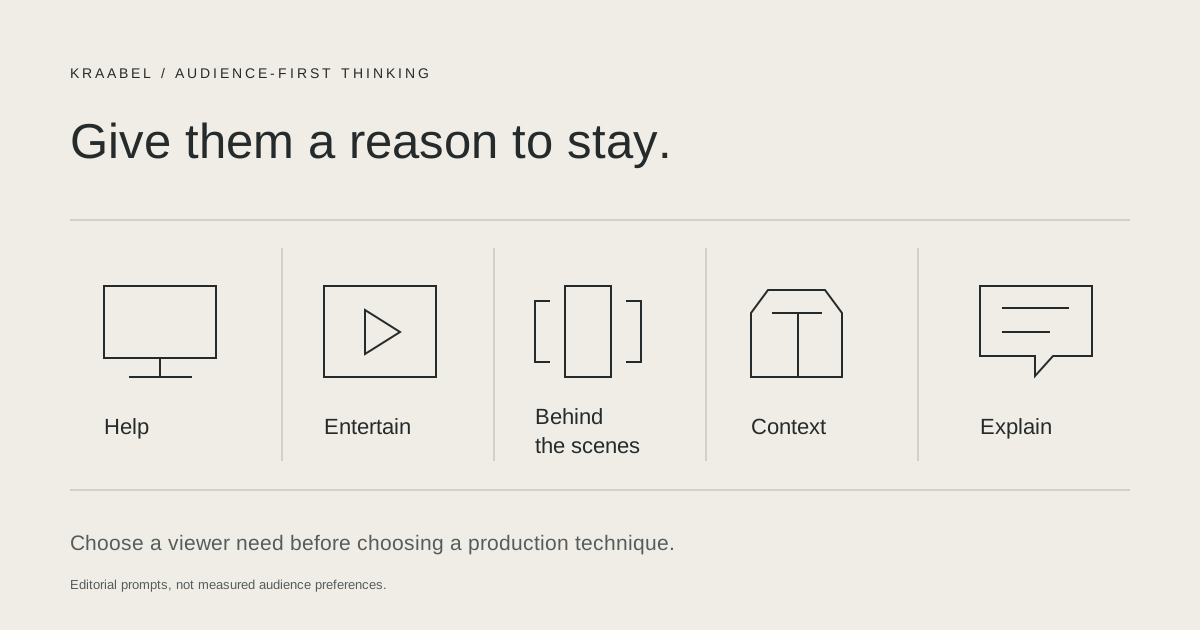
People make room for content that helps them, entertains them, or gives them a look at something they could not otherwise see. That is a more interesting creative opportunity than interrupting them and hoping they admire the interruption.
Be helpful. Show how something works, answer an awkward question, or remove a small uncertainty. A clear demonstration can do more for confidence than a beautifully photographed promise.
Be entertaining. Give the audience a story, a surprise, a point of view, or a human being worth spending time with. Entertainment does not require a joke every eight seconds. It requires somebody to have thought about the person watching.
Go behind the scenes. Let people see the decisions, the craft and the occasionally untidy business of making something properly. Process builds understanding when it reveals something real, rather than staging spontaneity for the fourth take.
Show products and services in context. Put them into the situations where people actually use them. Show the hands, the environment, the problem and the result. Context is often the thing a catalogue image cannot supply.
Explain the complicated bit. Use a demonstration, an illustration, a model or a well-chosen analogy to make an unfamiliar system understandable. Complexity is not a reason to become vague.
Build for screens, not just aspect ratios
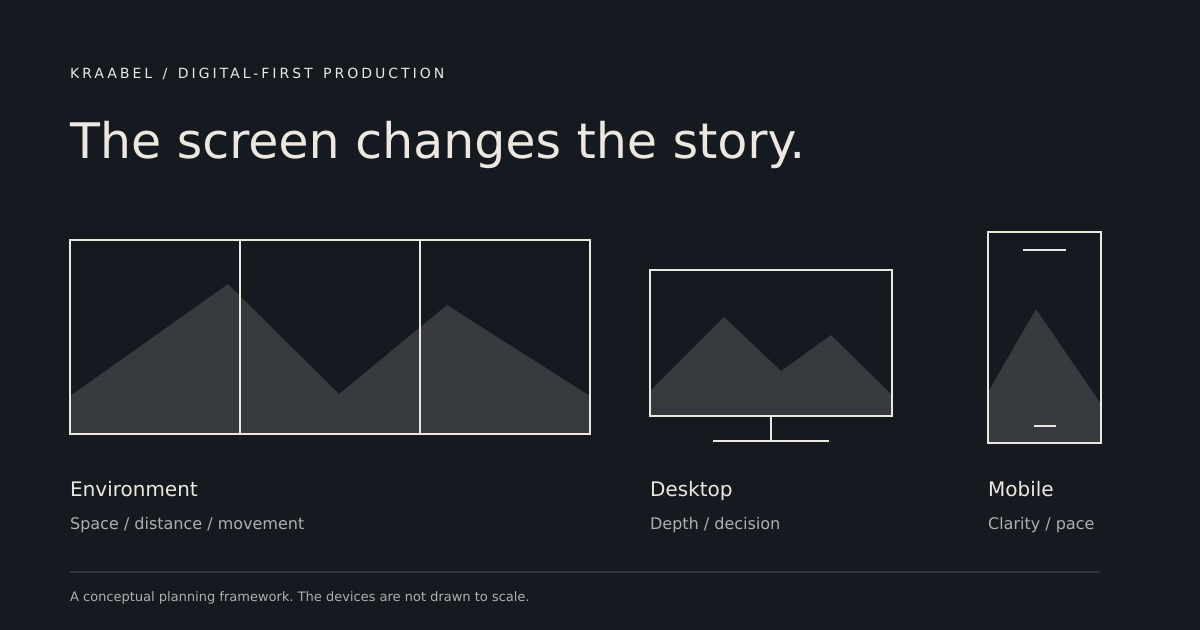
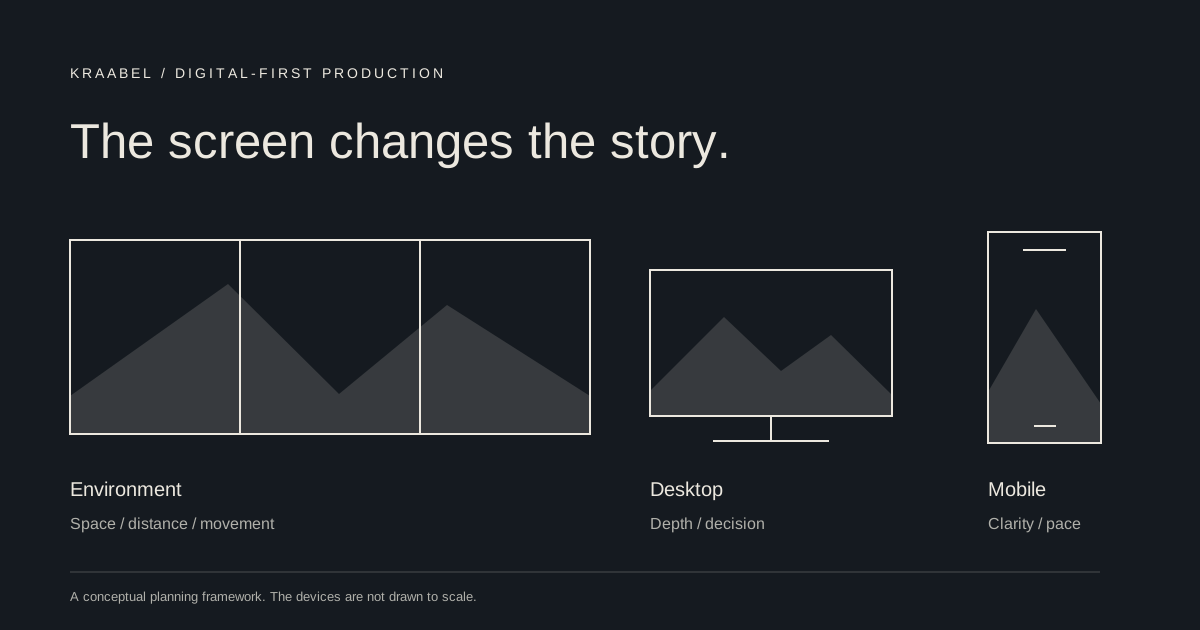
At one end, we create for high-end environmental ecosystems: connected displays, large-format installations and spatial experiences where a story has to work across surfaces, sightlines and the movement of people through a place. At the other, there is a phone held in one hand while its owner does three other things. Neither is a reduced version of the other.
For an environmental experience, we consider viewing distance, physical space, playback behavior, display mapping and how the content works when someone joins halfway through. We design a system of moments rather than assuming everybody will stand still for the opening titles.
For a desktop or a product page, there may be room for a more deliberate explanation and a useful next step. For mobile, the first frame has to be legible, captions need to carry meaning without sound, and the composition has to survive the actual interface surrounding it. A vertical crop is not automatically a mobile idea.
We plan those versions together. That can change how we frame an interview, build a 3D scene, separate animation layers, or record a demonstration. It is cheaper to think about the screens before production than to discover, in the edit, that the important part lives just outside all of them.
One in-house practice, several ways to make it
Our in-house capability connects the idea, the production and the finished delivery. The method follows the story. Sometimes the right answer is to go somewhere with a camera. Sometimes it is to build a world that does not exist yet.
- Original filming. Location production, interviews, demonstrations, documentary material and behind-the-scenes coverage.
- Digital content development. Concepts, scripts, storyboards and channel-specific content designed around the audience's questions.
- 3D animation and 2D modeling and animation. Product visualization, visual systems, diagrams and motion that show what a camera cannot.
- Explainer videos. Clear narratives that make complicated products, services and processes easier to understand.
- Remote production. Directed remote interviews, capture guidance, distributed contributions and remote collaboration when a full crew is not the useful answer.
- Editing and finishing. Story development in the edit, sound, captions, graphics, versioning and screen-specific delivery.
- Environment creation. Digital settings, virtual scenes and content for immersive installations and connected display environments.
These are not separate departments throwing a brief over a fence. A piece of original footage can work alongside a 3D sequence and a simple explanatory graphic, provided they are all doing the same job. The point is not to use every tool. The point is to know which one earns its place.
The big shoot is an option, not the starting assumption
The expensive, multi-day commercial shoot is unlikely to remain the automatic answer to every video brief. That does not make it obsolete. Some stories deserve a substantial crew, a remarkable location and the time to get the shot right. Pretending otherwise would be as silly as hiring a crane to film somebody explaining a software setting.
What changes is the default. We can combine a focused filming day with remote interviews, animation, existing material and a carefully planned edit. We can capture a useful library rather than spending the entire budget on a single finished minute. We can release something, learn whether it answers the question, and improve the next piece.
Lower production overhead should buy us more useful thinking, not permission to make an infinite quantity of forgettable video. A smaller crew is not a creative strategy either.
Plan a family of useful films
We work backwards from the places the content needs to live. An initial brief might produce a considered product explanation for the website, a short demonstration for a phone, a behind-the-scenes piece for people who want to understand the craft, and a silent sequence for a physical space. Each has its own beginning, pacing and purpose.
We identify those needs before filming or building scenes, so interviews have useful answers, framing leaves room where it is needed, and graphics can be rearranged without reconstructing the entire project. Captions, readable typography, contrast, sound alternatives, rights and approvals belong in this plan, not in a panicked email on delivery day.
The final check is simple. Watch it where the audience will watch it. On the phone, with sound off. On the display, from the far side of the room. On the website, with all the other things competing for attention. The edit suite is a lovely place to judge a film. It is not always the relevant one.
Start with a question worth answering
If we can name the audience, describe the screen and explain what becomes clearer after watching, we have the beginnings of a useful film. If we cannot, booking a larger studio is unlikely to help.
Digital-first production is not a vote against cinema, ambition or beautiful images. It is an argument for putting those things to work with a little more purpose. Make something worth watching. Make it fit the place it will be seen. Give the person on the other side a reason to stay.
Talk to us about a video project or download the companion white paper.